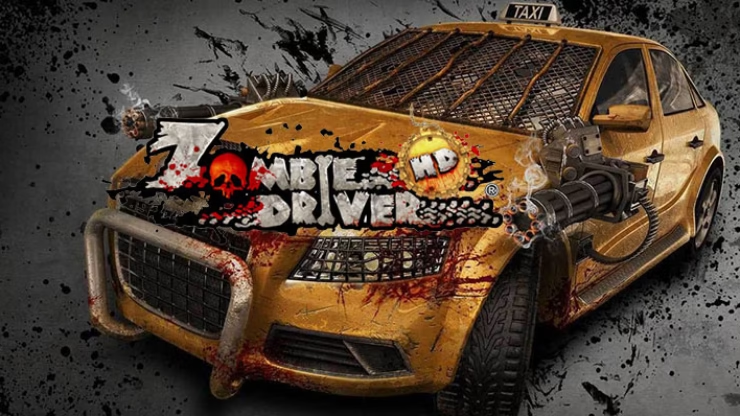
11 Options | Game Version: v1.5 | Last Updated: 27/01/2024 18:50:35
For more information on enhancing gameplay with cheats, check out our YouTube channel Mul_O’s Gaming Tips.
If you like what I do, you can support my work with a donation.


Link to the forum: fearlessrevolution
Why Use the Zombie Driver HD Trainer?
Not only does this trainer offer unlimited resources, but it also helps streamline your gaming experience. Furthermore, with features like unlock all paint and new areas, you can explore the game in new and exciting ways. Additionally, the rapid fire and nitro cheats make missions more thrilling and help you speed through levels with ease.
The Zombie Driver HD trainer is your ultimate tool for enhancing gameplay. With this tool, you’ll gain access to unlimited health, ammo, and money, providing a significant advantage. In addition to these features, you’ll be able to enjoy nitro boosts and rapid fire, making the game more dynamic and exciting. What’s more, the trainer also lets you unlock all paint and explore new places, enriching your overall experience. As a result, you’ll be able to navigate through the game with ease and freedom, making your gameplay more enjoyable.
| Game | Version | Process | License Type | Date of Creation |
|---|---|---|---|---|
| Zombie Driver HD | v1.5 | ZombieDriverHD.exe [x32] | PC | License [Steam] | 27/01/2024 18:50:35 |
| Hotkeys | Features | Description |
|---|---|---|
| numpad 1 | [Car] Infinite health | Makes the car impervious to any damage or impact. |
| numpad 2 | [Car] Infinite ammo | Keeps the car fully stocked with unlimited ammunition at all times. |
| numpad 3 | [Car] Infinite money | Grants the car access to unlimited funds for purchases or upgrades. |
| numpad 4 | [Car] Infinite places | Allows the car to hold an unlimited number of passengers. |
| numpad 5 | [Car] Infinite nitro | Keeps the car’s nitro supply full, no matter how often it’s used. |
| numpad 6 | [Car] Infinite survivor timer | Grants infinite time on the survivor timer, prolonging the session indefinitely. |
| numpad 7 | [Car] Infinite mission timer | Ensures mission timer never expires, allowing unlimited completion time. |
| numpad 8 | [Car] Rapid fire | Boosts the car’s weapon fire rate, delivering high-speed firepower. |
| numpad 9 | [Car] No waiting | Allows the car to pick up survivors without needing to eliminate all zombies. |
| numpad 0 | [Car] Unlock all paint | Unlocks all available car skins for every vehicle in the game. |
| F1 | [Car] Maximum upgrade | Unlocks the maximum level for all car characteristics, enhancing speed, durability, and more. |
Important things you need to know about some of the functions
- Function “Maximum upgrade” – allows you to unlock all car upgrades (armor, weapons, etc.) at the basic level. (After activating the function in the game, click on the button to “Сancel purchases”).
- Function “Unlock all paint” – allows you to unlock all camouflages for all cars. (even the camouflage that you have to buy).
- Function “No waiting” – allows you to pick up survivors from a point without killing enemies. (also works in missions with loading boxes, etc).
Car Manager
- Open the tab with the car manager and activate the function. (button with an car icon on the right side of the trainer).
- After successful activation, select the car in the trainer and in the game menu click on the button to change the car.
- If you do not have this car in the garage then after you complete 1 mission it will be automatically unlocked for further missions.
Teleportation Manager
- Hotkey “1” – increases the “Z” coordinate of your car. (Can be enabled/disabled in the settings).
- Hotkey “2” – decreases the “Z” coordinate of your car. (Can be enabled/disabled in the settings).
- Hotkey “Ctrl + S” – saves your current coordinate.
- Hotkey “Ctrl + Z” – loads a previously saved coordinate.
- Hotkey “Ctrl + Z” – pressing again returns you to the place from which you teleported previously.
- Hotkey “Ctrl + X” – deletes saved coordinates.
- Hotkey “Ctrl + E” – teleport by coordinates that you have added to the table.
- Additionally, you can activate the “No Collision” function which allows you to drive through walls. (The hotkey for this function is “Shift”).
Instructions
- Copy all files from the archive to the desktop.
- Run the trainer first, then the game.
- Press the [Insert] key to activate the trainer.
- During the game, press the keys indicated in the trainers.
- Possible false alarm of your antivirus on the trainer.
- Before the game, do not forget to disable your Antivirus.
Virus Total .zip (2/63)
https://www.virustotal.com/Zombie Driver HD (+11) {mul0}_.zip
Virus Total .exe (5/70)
https://www.virustotal.com/Zombie Driver HD (+11) {mul0} .exe
Video presentation of the trainer
Attachments
| File | Date added | Added by | File size | Downloads |
|---|---|---|---|---|
 Zombie Driver HD (+11) {mul0}.zip
|
December 22, 2024 7:23 AM | mul0 | 7 MB | 143 |