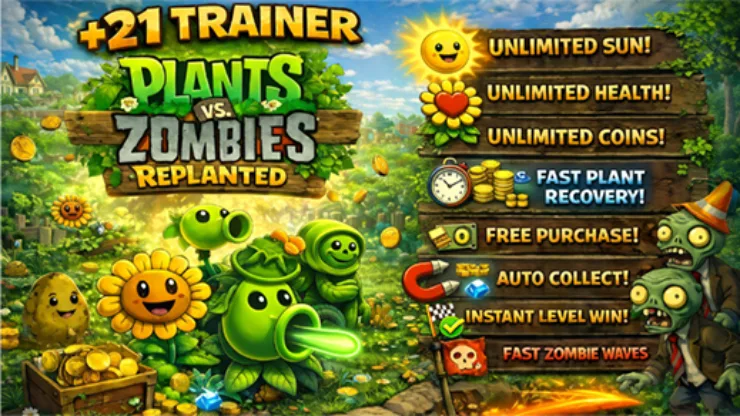
21 Options | Game Version: v1.5.1469 | Last Updated: 17/03/26
For more information on enhancing gameplay with cheats, check out our YouTube channel Mul_O’s Gaming Tips.
If you’re a fan of the revamped Plants vs. Zombies, don’t miss out. You can buy the game at Steam: Plants vs. Zombies: Replanted
Update 17.03.2026
🔧 Major code optimization for improved performance and stability.
💻 Updated and refined AOB signatures for higher accuracy.
🖥️ Improved high-DPI positioning and scaling of all interface components.
⚙️ Improved memory scan engine for faster and more reliable results
| Game | Version | Process | License Type | Date of Creation |
|---|---|---|---|---|
| Plants vs. Zombies: Replanted | v1.5.1469 | Replanted.exe (64-bit) |
Steam
|
17/03/26 03:08:02 PM |
| Hotkeys | Features | Description |
|---|---|---|
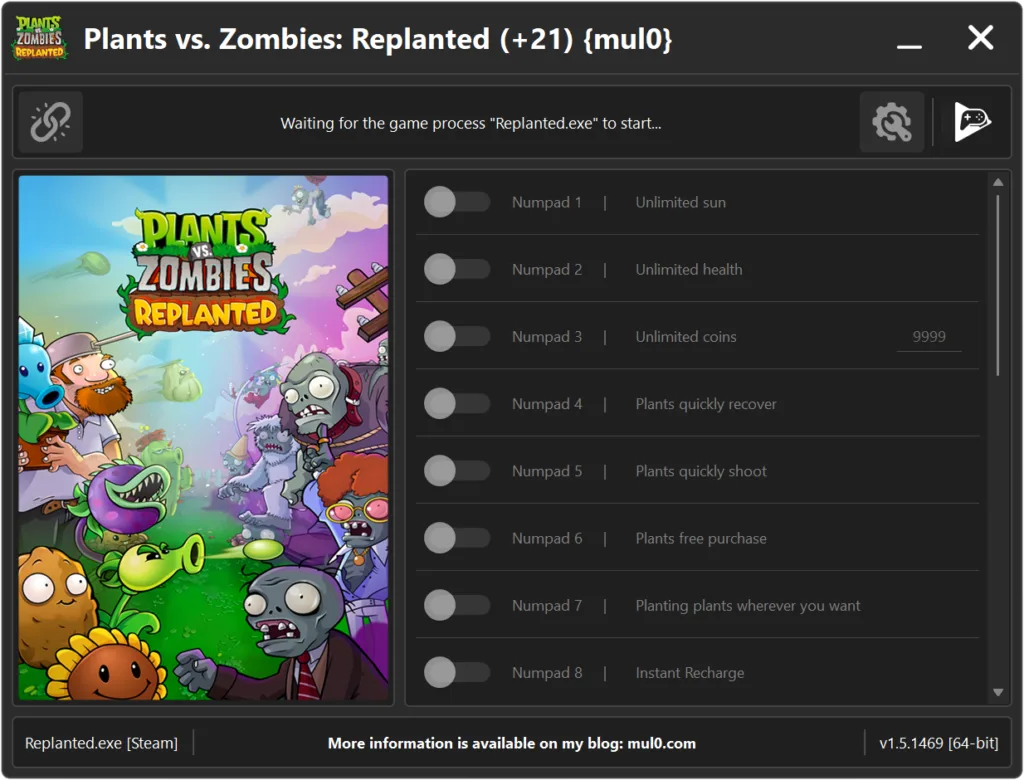
| Numpad 1 | Unlimited sun | Unlimited sun for planting. |
| Numpad 2 | Unlimited health | Unlimited health in your plants. |
| Numpad 3 | Unlimited coins | Unlimited coins to buy items in Dave’s store. |
| Numpad 4 | Plants quickly recover | Your plants are instantly recharged. |
| Numpad 5 | Plants quickly shoot | Your plants will shoot many times faster. |
| Numpad 6 | Plants free purchase | Allows you to buy any plant for 0 sun, making all purchases completely free. |
| Numpad 7 | Planting plants wherever you want | Allows you to plant on any surface, including water, craters, graves, and even on top of other plants. |
| Numpad 8 | Instant Recharge | Your plants immediately finish the action. (Chewing, recharging, etc.) |
| Numpad 9 | Remove conditions for planting | Removes all placement restrictions for upgraded plants such as Twin Sunflower, Gatling Pea, etc., letting you plant them freely without needing the base plants first. |
| F1 | Freeze selected tool/plants | Allows you to freeze the plants, tool, or item ID (like shovel or hammer) so it stays selected permanently. (Hold “E” before selected) |
| F2 | Peashooter auto-aim | Makes Peashooter’s shots automatically track and hit zombies with perfect accuracy. |
| F3 | Explosive bowling | Replaces regular wall-nuts in bowling mode with explosive ones. (Hold “R” to activate) |
| F4 | Bonuses don’t disappear | Dropped bonuses stay on the field permanently instead of fading over time. |
| F5 | Automatic resource collection | Automatically collects all resources in the game, including small/regular/large suns, coins, gold coins, and diamonds — no manual collection required. |
| F6 | Diamond drops | Replaces regular coins with large diamonds dropped from plants, zombies, and Dave’s garden. |
| F7 | No plant squishing | Prevents plants from being crushed or destroyed by heavy objects or projectiles, such as trucks, snowballs, or fireballs. |
| F8 | No gravestones | Disables the gravestones that normally spawn at the start of night levels. Must be enabled before loading the level. |
| F9 | Instant level completion | Instantly finishes the current level when you press the “U” hotkey. |
| F10 | Fast zombie waves | Shortens the delay between waves so zombies appear rapidly. |
| F11 | Single plant start | Removes the requirement to fill all plant slots; selecting one plant is enough to start the level. |
| F12 | Seed panel id manager |
Cycle through all plant types on the seed panel using “A/D” or “LB/RB” (L1/R1). Reset the sequence with X, or generate a fully random set of unique plant IDs with “C” or “R3” (Right Stick Click).
|
Instructions
- Copy all files from the archive to the desktop.
- Start the game and wait until it is fully loaded into gameplay (not just the main menu).
- Only after the game has finished loading, run the trainer.
- If the game process is found successfully, the connect button will become available in the trainer.
How to activate the trainer:
- To activate the trainer, click the button with the broken chain icon. It is located in the upper-left panel of the trainer interface.
- After a successful connection, you can activate and use all available features.
- During the game, press the hotkeys shown in the trainer to enable or disable features.
- Possible false alarm of your antivirus on the trainer.
- If your antivirus blocks the trainer, temporarily disable it.
Video presentation of the trainer

Attachments
| File | Date added | Added by | File size | Downloads |
|---|---|---|---|---|
 Plants vs. Zombies Replanted (+21) {mul0} [v1.5.1469] (17.03.2026).zip
|
March 17, 2026 3:23 AM | mul0 | 9 MB | 2887 |
|
Plants vs. Zombies Replanted (+21) {mul0} [v1.5.1469].zip
|
January 13, 2026 7:27 AM | mul0 | 9 MB | 826 |
|
Plants vs. Zombies Replanted (+21) {mul0} [v1.5.1468].zip
|
December 15, 2025 12:15 PM | mul0 | 9 MB | 414 |