22 Options | Game Version: v1.1 – cs:4334 | Last Updated: 11/07/2026
The Darksiders – Warmastered Edition Trainer (+22) gives you greater control over combat, movement, Chaos Form, weapons, souls, and character progression. It’s designed for players who want a more flexible playthrough, faster progression, or an easier way to experiment with the game’s mechanics.
Built for game version v1.1 – cs:4334, the trainer includes 22 options for adjusting the difficulty and pace of the adventure. You can prevent damage, use Chaos Form whenever you want, remove ammunition and dash limits, increase movement and attack speed, or defeat enemies with a single hit.
Movement options make exploration more convenient by improving jump height, extending dash distance, removing fall impact, and enabling directional teleportation. Combat-focused features provide rapid fire, increased attack speed, unlimited energy, and protection from both enemy attacks and environmental hazards.
You can also multiply souls and weapon experience, unlock the Abyssal Armor, increase weapon enhancement glow, and widen the camera view angle. Every feature is assigned to a convenient hotkey, allowing you to customize Darksiders Warmastered Edition during gameplay without modifying the core game files.
For more information on enhancing gameplay with cheats, check out our YouTube channel MulO’s Gaming Tips.
If you’re a fan of Darksiders Warmastered Edition, don’t miss this game.
Darksiders Warmastered Edition on Steam¹

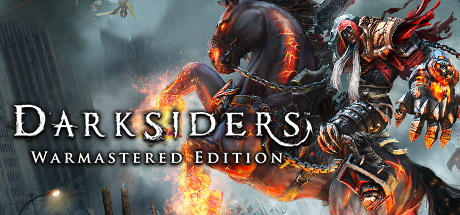
Deceived by the forces of evil into prematurely bringing about the end of the world, War – the first Horseman of the Apocalypse – stands accused of breaking the sacred law by inciting a war between Heaven and Hell.

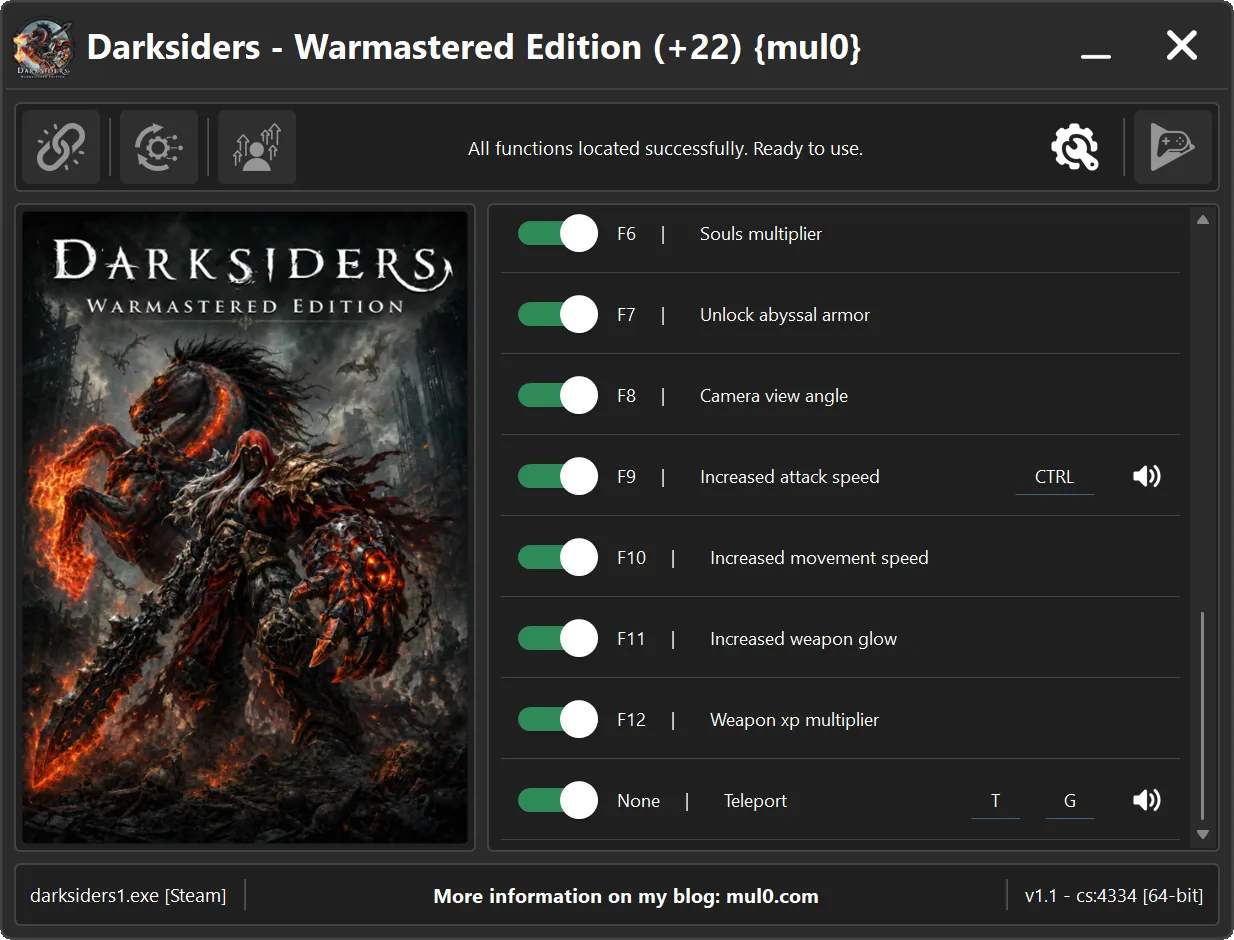
| Game | Version | Process | License Type | Date of Creation |
|---|---|---|---|---|
| Darksiders Warmastered Edition | v1.1 – cs:4334 | darksiders1.exe | Steam | 11/07/2026 |
| Hotkeys | Features | Description |
|---|---|---|
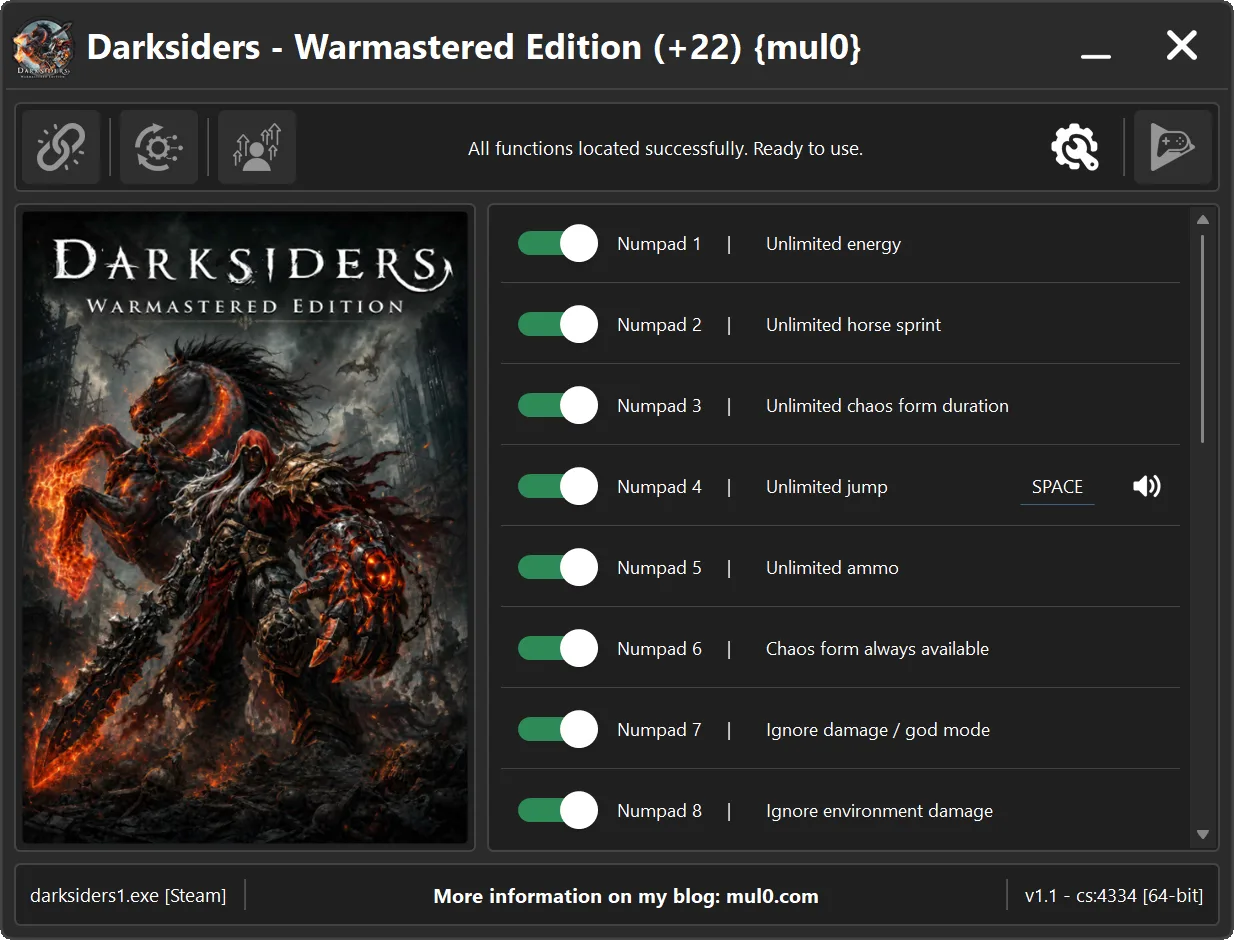
| Numpad 1 | Unlimited energy | Prevents the player’s energy from decreasing. |
| Numpad 2 | Unlimited horse sprint | Removes the horse’s sprint limit, allowing continuous acceleration. |
| Numpad 3 | Unlimited Chaos Form duration | Prevents Chaos Form from ending while active. |
| Numpad 4 | Unlimited jump | Allows the player to jump repeatedly in mid-air by pressing SPACE, effectively levitating. |
| Numpad 5 | Unlimited ammo | Prevents ammunition in the weapon from decreasing, eliminating the need to reload. |
| Numpad 6 | Chaos Form always available | Allows the player to activate Chaos Form at any time. |
| Numpad 7 | Ignore damage / god mode | Prevents the player from taking damage. |
| Numpad 8 | Ignore environment damage | Prevents the player from taking damage from environmental hazards. |
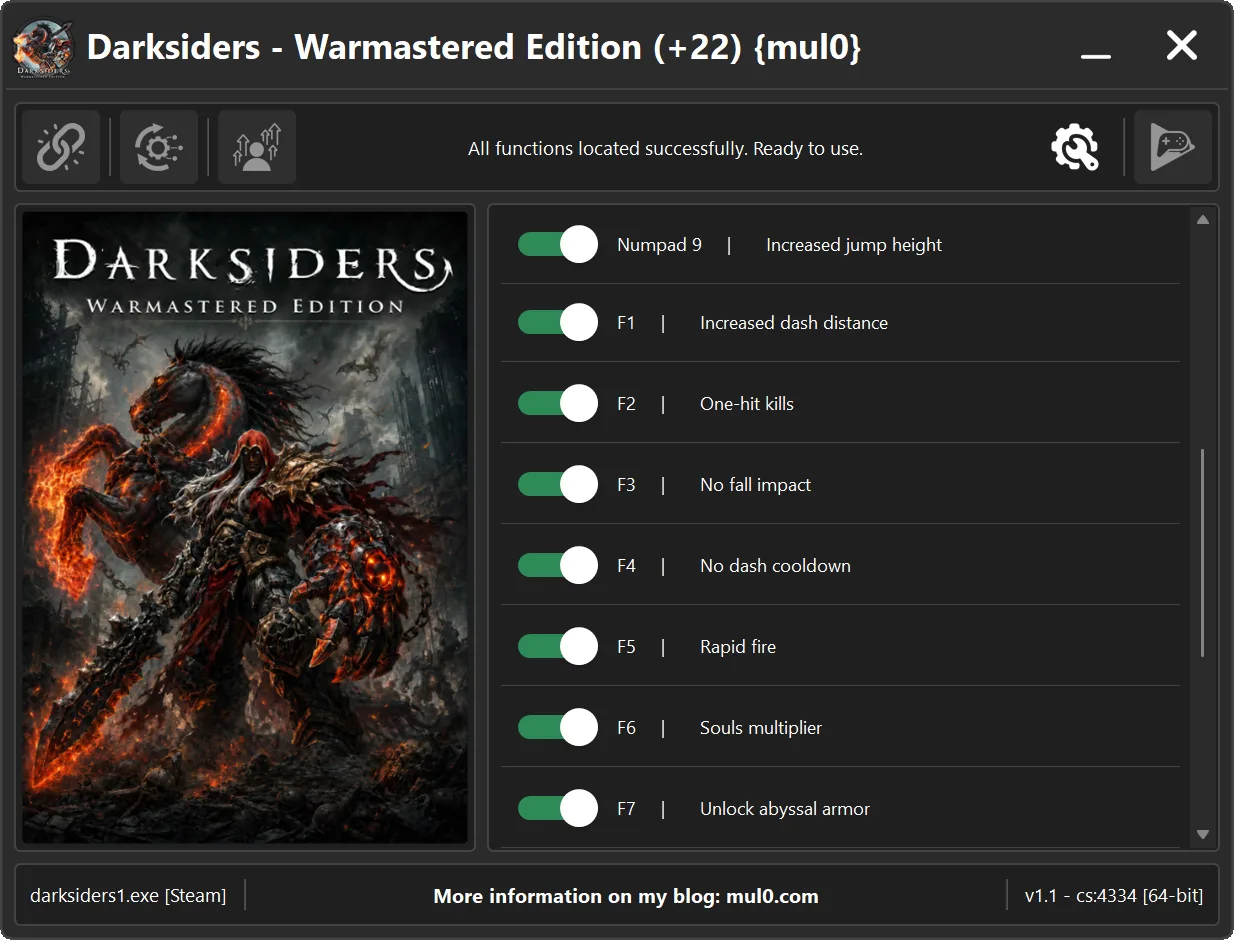
| Numpad 9 | Increased jump height | Allows the player to jump higher than normal. |
| F1 | Increased dash distance | Increases the distance covered by each dash. |
| F2 | One-hit kills | Instantly kills enemies with one hit. |
| F3 | No fall impact | Prevents the player from being affected by hard landings. |
| F4 | No dash cooldown | Allows the player to dash repeatedly without waiting. |
| F5 | Rapid fire | Allows ranged weapons to fire much faster than normal. |
| F6 | Souls multiplier | Multiplies the number of souls gained by the player. |
| F7 | Unlock Abyssal Armor | Unlocks the Abyssal Armor when loading a saved game. Activate the option, return to the main menu, and reload your save. |
| F8 | Camera view angle | Increases the camera’s field of view, allowing the player to see more of the surrounding area. |
| F9 | Increased attack speed | Increases the player’s attack speed. Hold CTRL before attacking to apply the increased speed. |
| F10 | Increased movement speed | Allows the player to move faster than normal. |
| F11 | Increased weapon glow | Increases the intensity of the glow produced by equipped weapon enhancements, making it more noticeable. |
| F12 | Weapon XP multiplier | Multiplies the weapon experience gained from defeating enemies, allowing weapons to level up faster. |
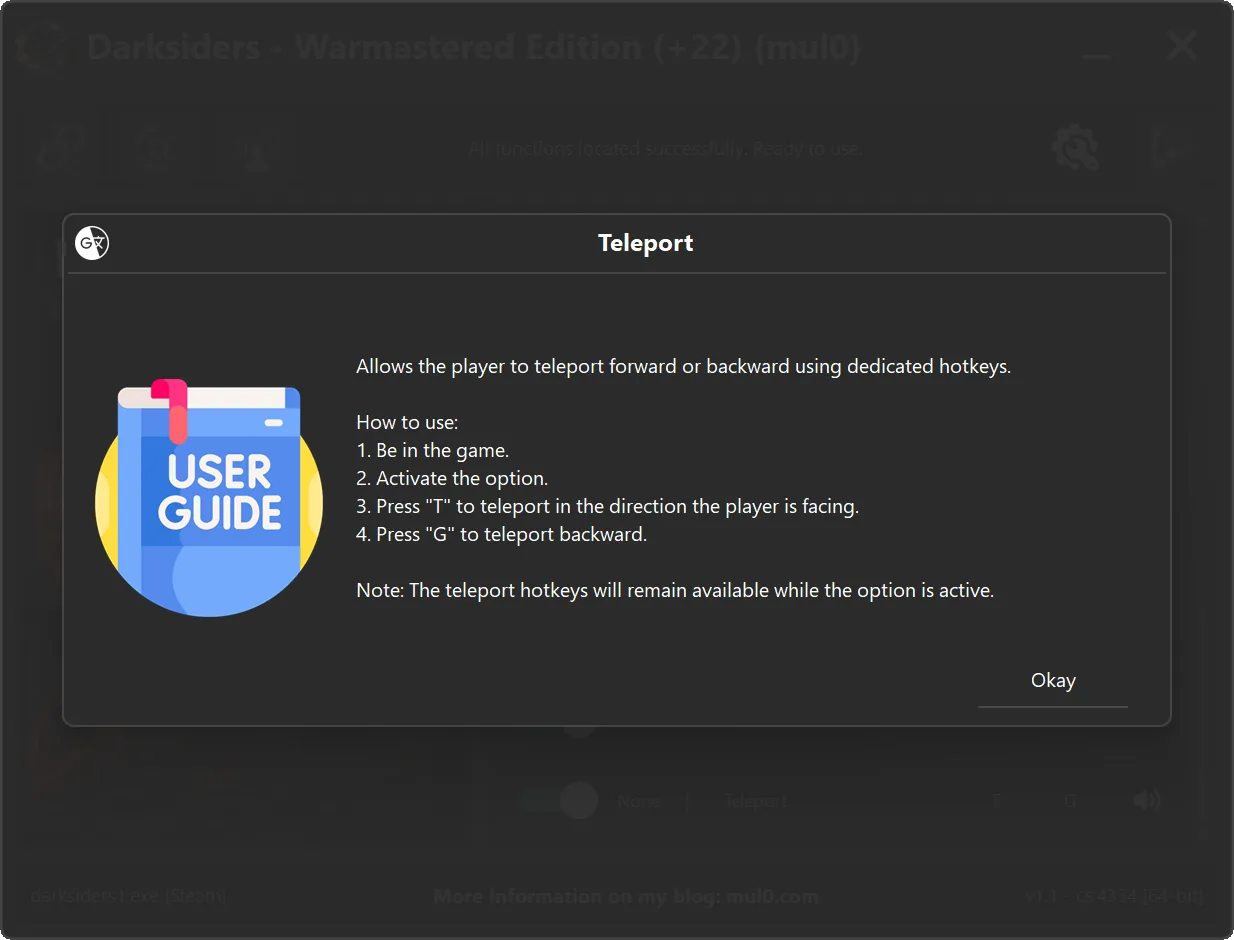
| – | Teleport | Allows directional teleportation. Press T to teleport in the direction the player is facing or G to teleport backward. |
Instructions
- Copy all files from the archive to the desktop.
- Start the game and wait until it is fully loaded into gameplay (not just the main menu).
- Only after the game has finished loading, run the trainer.
- If the game process is found successfully, the connect button will become available in the trainer.
How to activate the trainer:
- To activate the trainer, click the button with the broken chain icon. It is located in the upper-left panel of the trainer interface.
- After a successful connection, you can activate and use all available features.
- During the game, press the hotkeys shown in the trainer to enable or disable features.
- Possible false alarm of your antivirus on the trainer.
- If your antivirus blocks the trainer, temporarily disable it.
Video presentation of the trainer
Attachments
| File | Date added | Added by | File size | Downloads |
|---|---|---|---|---|
 Darksiders - Warmastered Edition (+22) {mul0} [v1.1 - cs4334].zip
|
July 11, 2026 11:40 AM | mul0 | 11 MB | 544 |
Please Make “Shatterline Randy” game trainer……💕
can’t open cz have virus
https://i.imgur.com/Vlyfhir.png
Hi! Thank you for the feedback, but I want to assure you that there are no viruses in these files. I personally use Kaspersky Premium on my PC, so I thoroughly scan everything I create and release.
To explain the situation: a game trainer is a program that interacts with the memory of another process (the game) to change specific values, like health or gold. Antivirus software flags this as ‘suspicious activity’ because the technical mechanisms a trainer uses—like code injection or memory manipulation—are similar to how some malware operates. This is a common ‘false positive.’ My code is completely safe, but unfortunately, antiviruses often block these utilities simply due to how they work.