
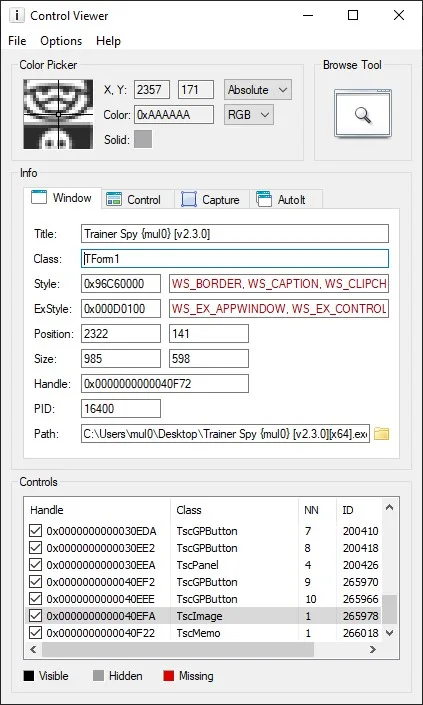
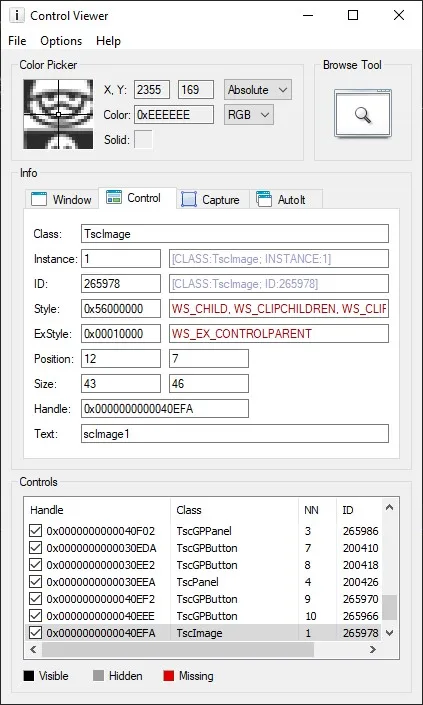
Control Viewer v1.1 is a lightweight and powerful utility designed to inspect and analyze window elements (controls) of running Windows applications. Originally created by @Yashied and later improved by @argumentum, this modified version brings extended functionality and better usability for developers, testers, and automation engineers.
🔍 Key Features:
- Displays detailed information about controls such as class names, handles, positions, sizes, text, IDs, and styles.
- Supports recursive inspection of child controls within a window.
- Highlights selected controls visually in real time.
- Supports both 32-bit and 64-bit applications.
- Easy-to-use interface with minimal setup – no installation required.
- Great tool for AutoIt, Delphi, C#, and other automation or UI-testing tasks.
✅ Pros:
- Lightweight and portable.
- Very detailed and accurate information about UI elements.
- Useful for reverse engineering or automating legacy applications.
- No dependencies – just run and use.
- Ideal companion for developers working with UI automation tools.
❌ Cons:
- User interface is a bit outdated.
- Requires admin privileges for full access to some application windows.
- Limited support for modern UI frameworks like WPF or UWP.
- No built-in export or scripting features.
💬 Summary:
Control Viewer v1.1 is a must-have tool for anyone working with GUI analysis, legacy automation, or Windows UI inspection. Despite its simplicity, it offers a deep view into how applications are built under the hood. If you’re into automation or curious about how Windows applications are structured, this tool is definitely worth a spot in your toolkit.
Attachments
| File | Date added | Added by | File size | Downloads |
|---|---|---|---|---|
 Control Viewer v1.1.zip
|
April 1, 2025 8:35 PM | mul0 | 2 MB | 142 |