
🔍 Register Highlight — Plugin for Cheat Engine 🔍
Register Highlight is a lightweight Lua plugin for Cheat Engine that highlights user-defined text directly in the Memory Viewer → Disassembler view.
Version 1.1 expands the original register-highlighting feature into a more flexible disassembly analysis tool. In addition to registers such as RAX, ECX, or XMM0, the plugin can now highlight register-offset expressions, bracketed memory expressions, opcodes, and opcode prefixes.
This makes it easier to follow important values and instructions while debugging, reverse engineering, or scrolling through large blocks of assembly code.
📢 What's new? [v1.1] [30/05/2026]
⚡ Refactored and optimized register highlighting.
➕ Added register-offset expression highlighting: ecx+08 and [ecx+08].
🔎 Added whitespace-insensitive matching: ecx+08 also matches ecx + 08.
🔧 Added offset normalization: 8, 08, 0x08, and 08h.
🎯 Added opcode highlighting: fld, fstp, and mov.
🧩 Added opcode-prefix highlighting: fld dword ptr.
🎨 Preserved Cheat Engine syntax colors outside highlighted text.
🛠️ Added optional debug diagnostics for troubleshooting.

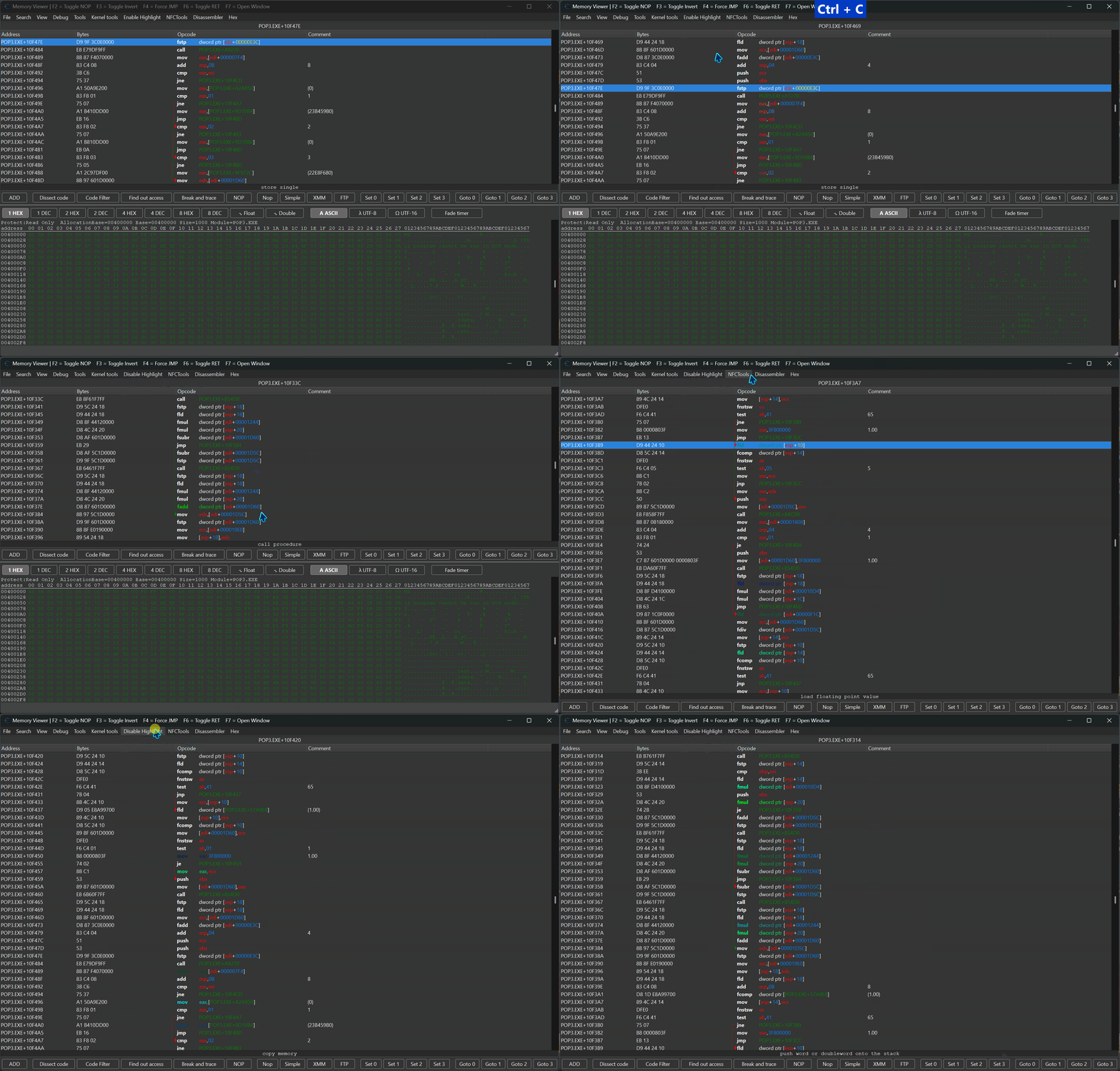

📌 Plugin Information 📌
- Version: 1.1
- Author: FreeER (original) + refactor and optimizations by mul0
- Website: https://mul0.com/
- Platform: Cheat Engine Lua plugin
⚡ What the Plugin Does ⚡
Register Highlight integrates directly into the Memory Viewer → Disassembler interface.
Select Highlight from the Memory Viewer menu, enter the register, expression, opcode, or instruction prefix you want to track, and the plugin applies a visible color highlight to matching disassembly text.
This makes it significantly easier to:
- Track register usage
- Follow memory access expressions
- Find repeated instructions
- Analyze instruction flow
- Quickly spot relevant operands while scrolling through assembly code
🚀 Key Features 🚀
🎯 Highlight Registers and Tokens
Highlight x86 and x64 registers or other plain tokens, including eax, rax, rcx, xmm0, and r8.
🧩 Highlight Register-Offset Expressions
Version 1.1 adds expression matching for memory operands such as ecx+08 and [ecx+08]. Matching is whitespace-insensitive, and equivalent offset formats such as 8, 08, 0x08, and 08h are recognized.
🧠 Highlight Opcodes and Instruction Prefixes
Highlight individual opcodes such as fld, fstp, and mov, or use a prefix such as fld dword ptr to locate a specific class of instructions visually.
🎨 Preserve Cheat Engine Syntax Colors
The plugin injects its highlight carefully and preserves Cheat Engine syntax colors outside the matched text. Existing disassembly formatting remains readable.
🪟 Works with Multiple Memory Viewer Windows
Highlights are applied per DisassemblerView, allowing the plugin to work with multiple Memory Browser windows without conflicts.
🛡 Safe Hooking Implementation
The plugin preserves existing OnPostDisassemble handlers and restores them safely when highlighting is disabled. This improves compatibility with other Cheat Engine plugins.
🧩 Example Use Cases 🧩
Track a register: enter rax to highlight it in instructions such as mov rax,[rbx+30], add rax,10, and cmp rax,rcx.
Track a memory expression: enter [ecx+08] to locate equivalent formatted expressions while reviewing disassembly.
Track an opcode prefix: enter fld dword ptr to highlight matching floating-point instructions without affecting unrelated instruction text.
📌 Compatibility 📌
- Cheat Engine 6.4 or newer
- Supports x86 and x64 processes
- Works with multiple Memory Viewer instances
- Preserves existing Cheat Engine disassembler syntax highlighting
⚙️ Installation ⚙️
- Download “MiMemory Viewer – Highlight (v1.1).lua”.
- Copy the file into Cheat Engine’s autorun folder: Cheat Engine\autorun\
- Restart Cheat Engine.
- Open Memory Viewer, select Highlight from the menu, and enter the text you want to track.
- Select Highlight again to disable the active highlight.
💬 Feedback & Support 💬
Have suggestions, bug reports, or feedback? Drop a comment below! 🙌
Attachments
| File | Date added | Added by | File size | Downloads |
|---|---|---|---|---|
 MiMemory Viewer - Highlight (v1.1).zip
|
May 30, 2026 6:48 PM | mul0 | 131 KB | 152 |
|
MiMemory Viewer - Highlight (v1.0).zip
|
March 4, 2026 12:07 AM | mul0 | 5 MB | 149 |