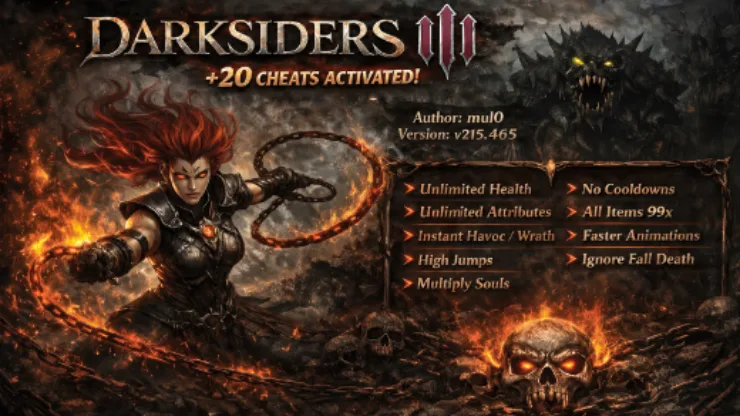
20 Options | Game Version: v215.465 | Last Updated: 12/07/2026
The Darksiders 3 Trainer (+20) gives you flexible control over fury’s health, havoc and wrath abilities, movement, inventory, souls, and visual effects. It is designed for single-player experimentation, faster progression, or a more relaxed journey through the post-apocalyptic world of Darksiders III.
Built for Steam game version v215.465, the trainer includes 20 options. You can enable unlimited health, ignore enemy and environmental damage, activate havoc and wrath abilities immediately, multiply souls, preserve attribute points, and perform upgrades without consuming ingredients.
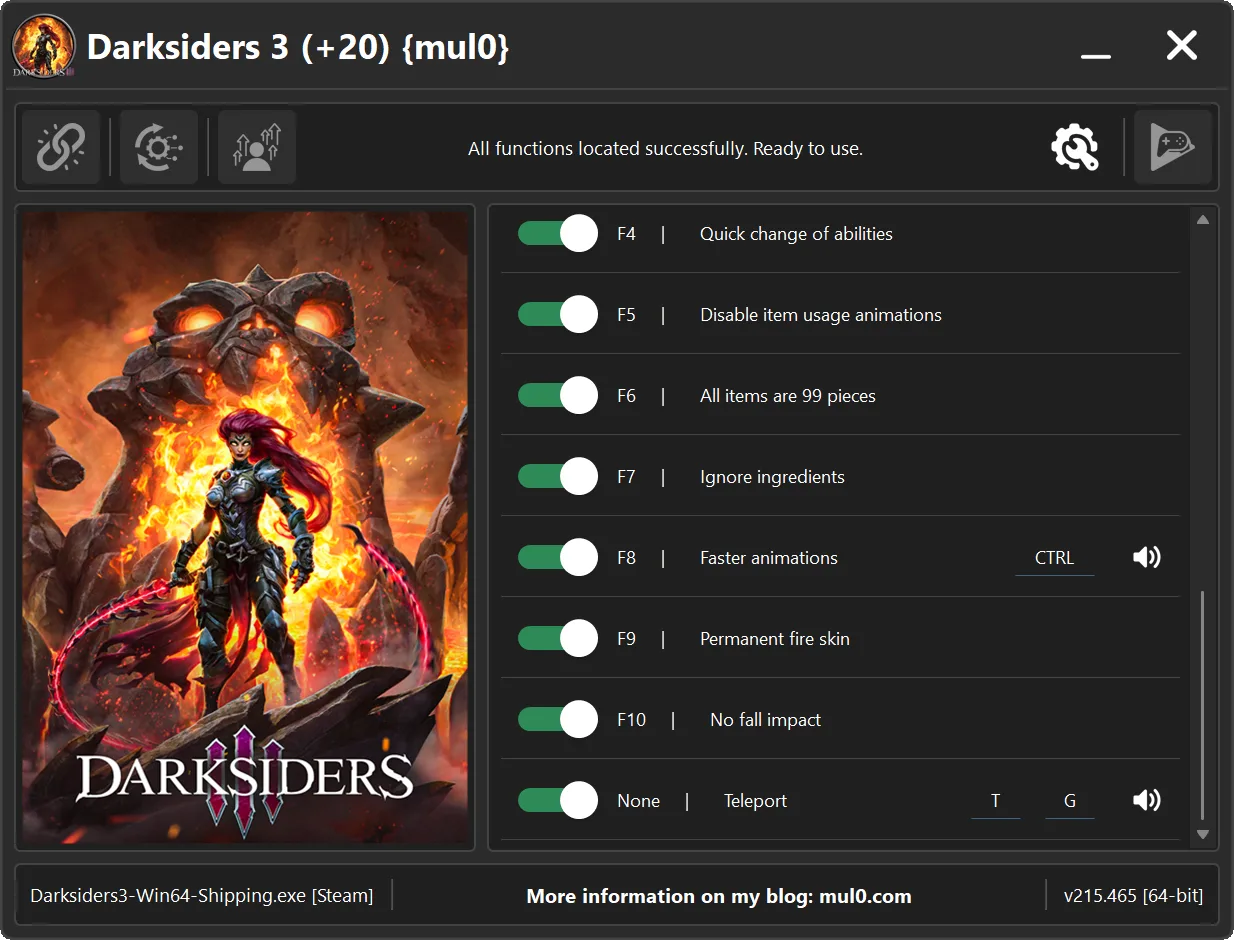
Movement and exploration features include unlimited mid-air jumps, increased jump height, a wider viewing angle, no fall impact, and directional teleportation. Combat and ability options boost the Flame Hollow aura, speed up animations, remove item cooldowns and usage animations, and make switching between Fury’s Hollow abilities faster.
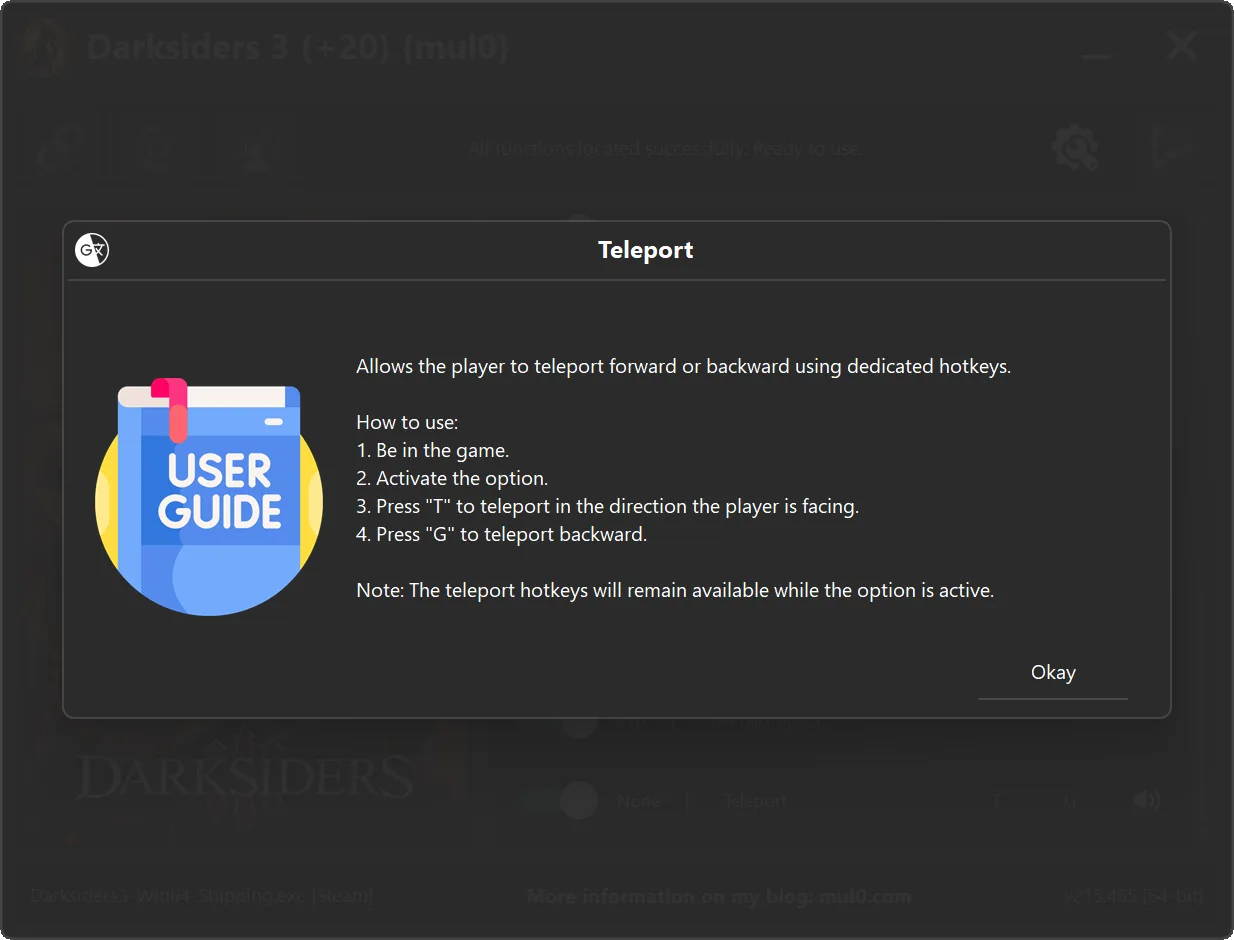
Special controls are clearly marked: press “SPACE” while airborne for repeated jumps, hold “CTRL” before an action to apply Faster Animations, and activate the Teleport switch before using “T” to move forward or “G” to move backward. Use teleportation carefully near cliffs, walls, and map boundaries.
🆕 Update 12.07.2026
🚀 Added Unlimited Jump with repeated mid-air jumps using the “SPACE” key.
🔄 Added directional Teleport controls: press “T” to move forward or “G” to move backward.
🛡️ Added protection from environmental damage and improved fall-impact handling.
⚙️ Minor code optimizations and internal improvements.
🆕 Update 17.03.2026
🔧 Major code optimization for improved performance and stability.
💻 Updated and refined AOB signatures for higher accuracy.
🖥️ Improved high-DPI positioning and scaling of all interface components.
⚙️ Improved memory scan engine for faster and more reliable results
For more information on enhancing gameplay with cheats, check out our YouTube channel MulO’s Gaming Tips
If you’re a fan of Darksiders 3, don’t miss this game.
Darksiders III on Steam¹

Return to an apocalyptic Earth in Darksiders III, a hack-n-slash Action Adventure where players assume the role of FURY in her quest to hunt down and dispose of the Seven Deadly Sins. The most enigmatic of the Four Horsemen, FURY must bring balance to the forces that now ravage Earth.

| Game | Version | Process | License Type | Date of Creation |
|---|---|---|---|---|
| Darksiders III | v215.465 | Darksiders3-Win64-Shipping.exe | Steam | 12/07/2026 |
| Hotkeys | Features | Description |
|---|---|---|
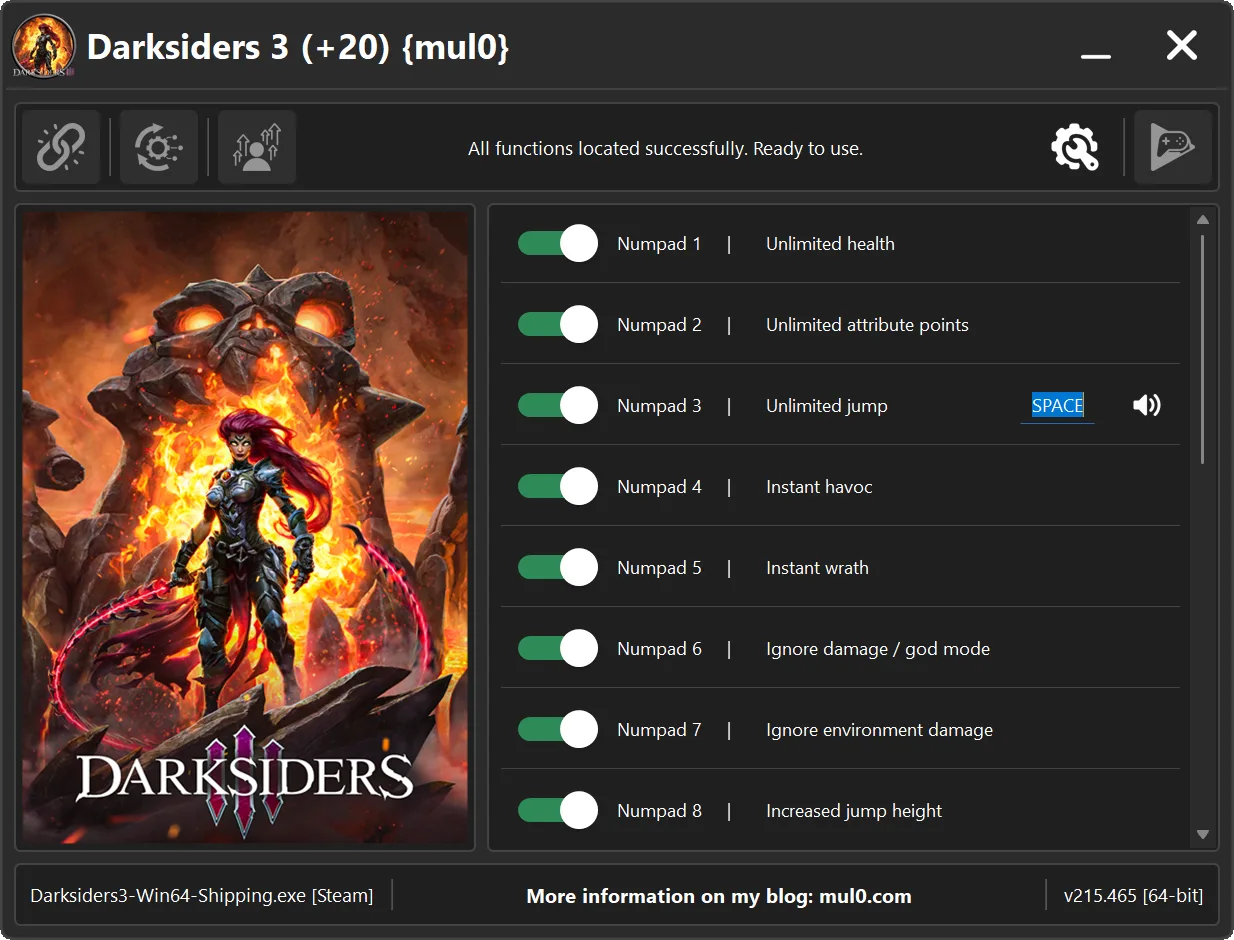
| Numpad 1 | Unlimited health | Your health will never drop to a fatal level, making it effectively unlimited. |
| Numpad 2 | Unlimited attribute points | Unlimited points for upgrading attributes such as Health, Strength, and Arcane. |
| Numpad 3 | Unlimited jump | Allows the player to jump repeatedly in mid-air by pressing “SPACE”, effectively levitating. |
| Numpad 4 | Instant havoc | Instantly activate the Havok form, even if your energy is at zero. |
| Numpad 5 | Instant wrath | Instantly use wrath abilities, even if your energy is zero. |
| Numpad 6 | Ignore damage / god mode | Prevents the player from taking damage. |
| Numpad 7 | Ignore environment damage | Protects the player from environmental damage, including lethal falls from great heights. |
| Numpad 8 | Increased jump height | Allows the player to jump higher than normal. |
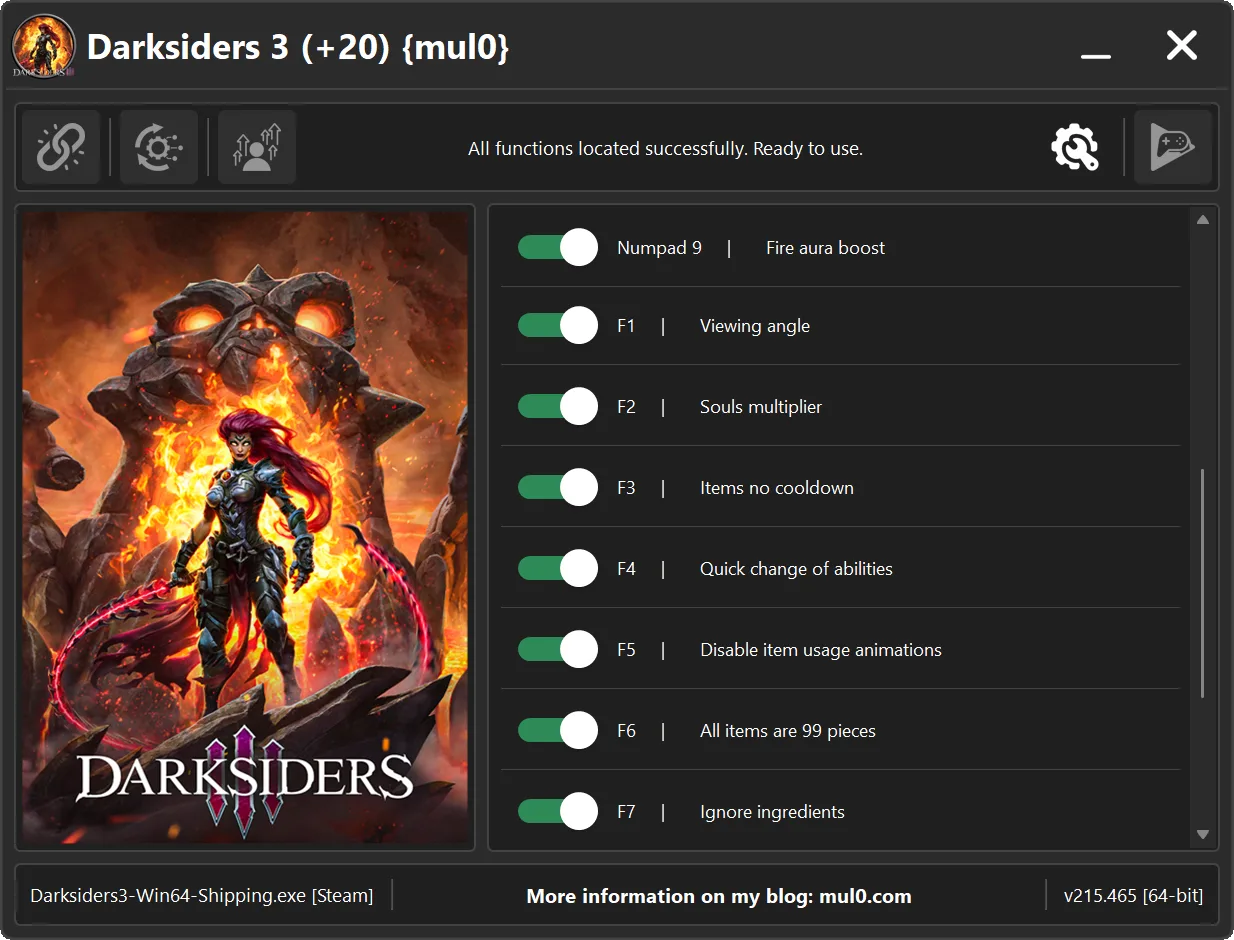
| Numpad 9 | Fire aura boost | Enhances the fire aura by increasing its range and the damage multiplier dealt to enemies within the aura. |
| F1 | Viewing angle | Expands the player’s field of view, allowing you to see more of the surroundings. |
| F2 | Souls multiplier | Multiplies the number of souls gained by 5×. |
| F3 | Items no cooldown | Allows items to be used repeatedly without waiting for cooldown timers. |
| F4 | Quick change of abilities | Enables fast switching between abilities such as Fire, Stasis, Storm, and Force. |
| F5 | Disable item usage animations | Disables item usage animations, allowing items to be used faster. |
| F6 | All items are 99 pieces | Sets the quantity of all items to 99 when you open the inventory. |
| F7 | Ignore ingredients | Removes ingredient requirements for upgrading weapons. |
| F8 | Faster animations | Increases the speed of all player animations. Hold “CTRL” to boost movement speed, attack animations, dashes, and other character actions. |
| F9 | Permanent fire skin | Keeps the “Immolation” fire effect permanently active after the skill ends. Visual effect only — no gameplay benefits. |
| F10 | No fall impact | Prevents the player from being affected by hard landings. |
| None | Teleport | Allows directional teleportation. Press “T” to teleport in the direction the player is facing or “G” to teleport backward. |
Instructions
- Copy all files from the archive to the desktop.
- Start the game and wait until it is fully loaded into gameplay (not just the main menu).
- Only after the game has finished loading, run the trainer.
- If the game process is found successfully, the connect button will become available in the trainer.
How to activate the trainer:
- To activate the trainer, click the button with the broken chain icon. It is located in the upper-left panel of the trainer interface.
- After a successful connection, you can activate and use all available features.
- During the game, press the hotkeys shown in the trainer to enable or disable features.
- Possible false alarm of your antivirus on the trainer.
- If your antivirus blocks the trainer, temporarily disable it.
Video presentation of the trainer
Attachments
| File | Date added | Added by | File size | Downloads |
|---|---|---|---|---|
 Darksiders 3 (+20) {mul0} [v215.465].zip
|
July 12, 2026 1:46 PM | mul0 | 12 MB | 233 |
|
Darksiders 3 (+19) {mul0} [v215.465] (17.03.2026).zip
|
March 17, 2026 3:20 AM | mul0 | 9 MB | 697 |
|
Darksiders 3 (+19) {mul0} [v215.465].zip
|
February 9, 2026 12:45 PM | mul0 | 10 MB | 197 |
hello man, I really need your help
I’m so sad, I was doing a run where I don’t die (with help of trainer in-between when desperately needed) and I didn’t know the gluttony boss fight has insta death when he bites you so now everything has respawned
Is there anyway to make your character “invisible” so enemies do not see you and you can move past them undetected?
I didn’t do any backtracking and was saving it for when I got all 4 of the hollows then do it all at once, but damn my luck I died JUST before I were to get the last one
Hey mul0, first of all thanks a lot for keeping this updated till now, I just planned to play this after all this time and was pleasantly surprised at the fact that there was an updated trainer for it not even a week old.
I really like all the additional features this has than the traditional trainers, but I would like to request you to add the “save location” “teleport” and “undo teleport” to the trainers if you could, it would greatly help me since the game’s save function itself is VERY lackluster. These features are available in the wemod trainer but I don’t really want to use that since yours has much better features. Basically just want teleportation in the game to be possible by saving at any location and then restoring that with a hotkey and being able to undo that if we want.
Also if infinite jumps/double jumps feauture is there then that would be the best too, if only these would be implemented to the trainer I’d be grateful, thanks in advance. 😀
Hi. Thank you so much for your feedback.
As soon as I have a free moment, I’ll get back to this trainer, since I already have a ready-to-use Fly Hack + No Clip for this game.
I was able to find these features after the trainer was released. 😉
Hey thats very nice to hear, hope its soon as Im in the middle of my playtrhough, might you also check the github since its easier to do a conversation there compared to here, or any other medium I can contact you through? But meanwhile I’ll just post what I did there
I’d also like to request a one hit kill feature would be best too, plus i would like to point out the infinite health thing doesn’t make our health immediately full but only after it reaches a certain low point (its ~30% i think), so would be better if it made our health full whenever we enable it as I just generally want to use it when I don’t want to wait for the health to regenarate and can just toggle it on and off to do so quickly. but the main request still remaisn to be the teleport feature which the wemod people were able to impelement but not present here.
Also the trainer for some reason crashes my game at random times, till now its happened 3 times in about ~6hrs of gameplay, theres an error popup but it goes away in a split-second I can’t read it, ill try to record next time. It also crashed immediately after i disconnected my bluetooth earbuds and its not a game problem as it only happened with the trainer enabled.
Hi, thanks again for your detailed feedback.
About **one-hit kill** — I intentionally didn’t include this feature, since it tends to completely remove any challenge from the game. I try to keep a balance where the trainer helps, but the gameplay still remains interesting.
Regarding the **crashes**, most likely they are related to the part where the trainer checks whether a gamepad is connected or disconnected. Your note about the Bluetooth earbuds might actually confirm that, since it can trigger device changes in the system. I’ll take a closer look at this and try to make it more stable.
I’ve noted all your requests (teleport, undo teleport, better health behavior, etc.) and will do my best to include improvements in the next version of the trainer.
You can also reach me on Discord: **.mul0** — it’s easier to communicate there 👍
I’ve sent you a request on discord to continue our conversation there.