26 Options | Game Version: v1.5.12620 | Last Updated: 24/07/2026
The Hollow Knight Trainer (+26) gives you greater control over survival, combat, movement, exploration, resources, achievements, and character progression. It is designed for single-player adventures through Hallownest, whether you want to test abilities, speed up progression, explore more freely, or make difficult encounters more manageable.
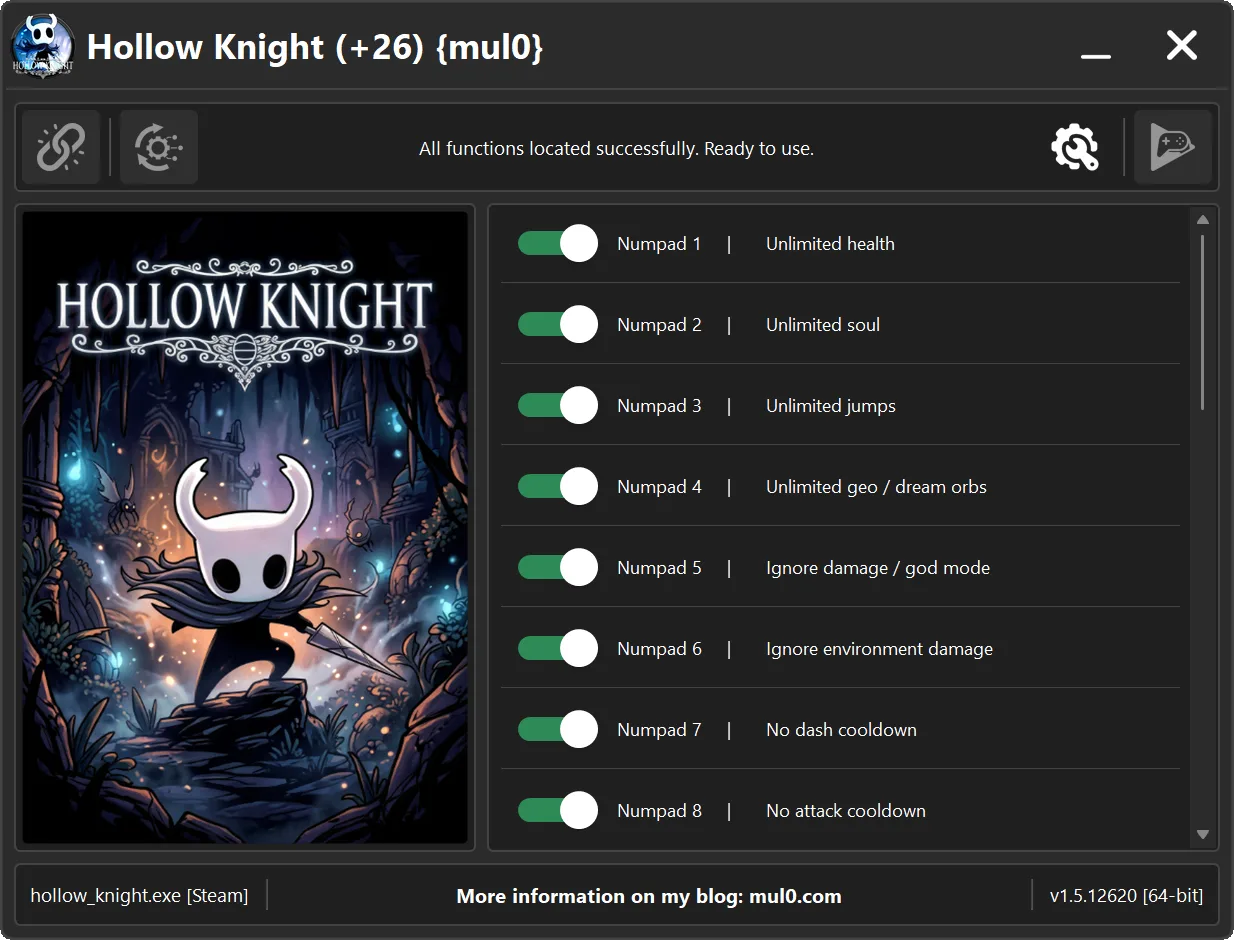
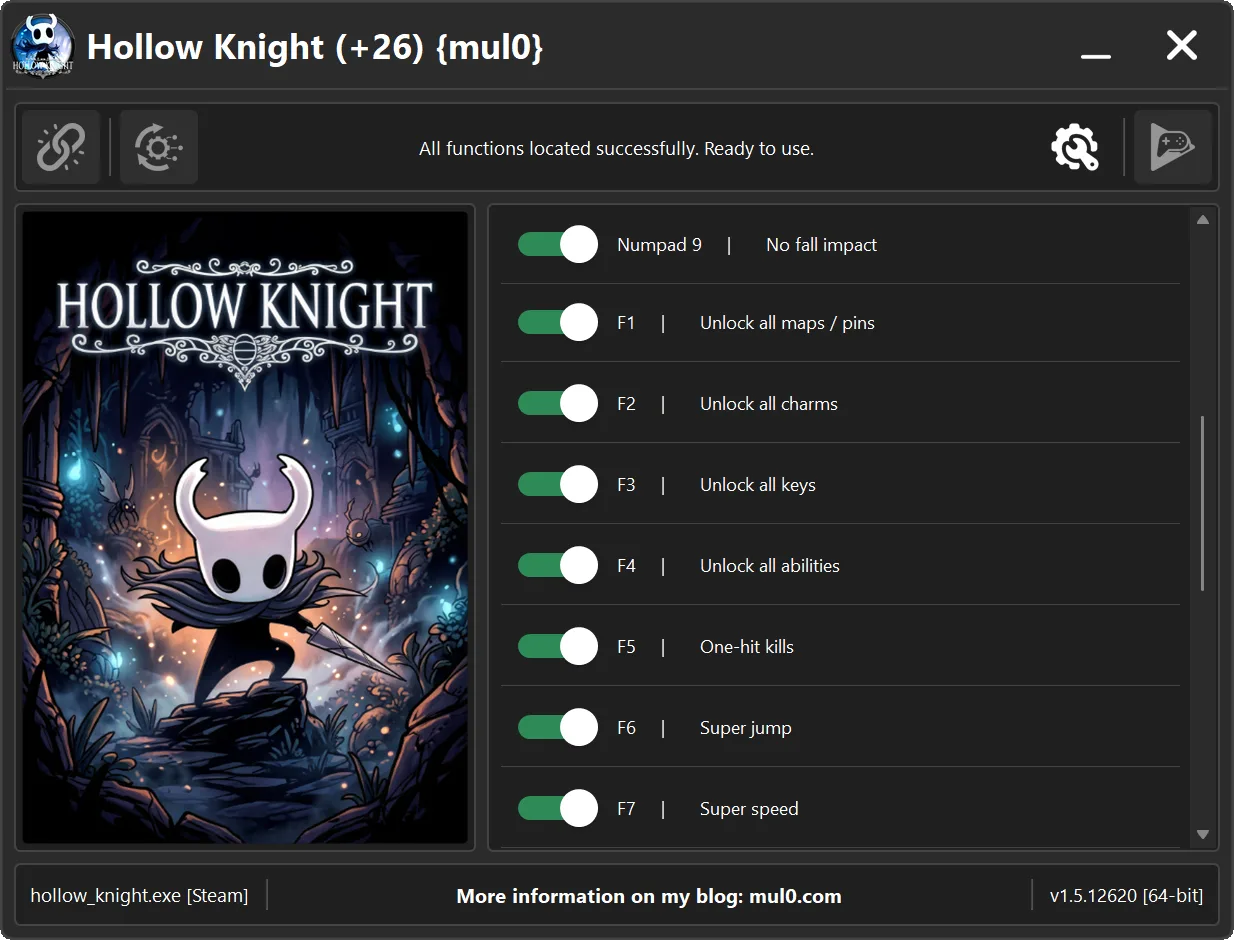
Built for Hollow Knight version v1.5.12620, the trainer includes 26 options. You can keep health and Soul available, gain unlimited Geo and Dream Orbs, multiply enemy Geo drops, ignore enemy and environmental damage, remove attack and dash cooldowns, and defeat enemies with one hit.
Exploration and progression features can unlock all maps and pins, charms, keys, abilities, and maximum charm capacity. You can also equip charms away from benches, force a checkpoint respawn, clear or unlock all achievements, upgrade the Nail, increase jump height and movement speed, remove fall impact, widen the camera view, and use directional teleportation.
Equip Charms Anywhere requires you to enable the option, open the inventory, enter the Charms tab, and hold Alt while changing charms. Teleport is controlled by holding Shift and pressing W, A, S, or D. The trainer also includes Unstuck Player for recovering from a floating state that may occur if an enemy hits the character during a cooldown-free dash.
🆕 Update 24.07.2026
💰 Added Geo Drop Multiplier. This option multiplies the amount of Geo dropped by defeated enemies.
💠 Added Equip Charms Anywhere. Enable the option, open the inventory, go to the Charms tab, and hold Alt while changing charms to bypass the bench restriction.
🔄 Added Force Respawn. This option forces the player to respawn at the last checkpoint.
🧹 Added Clear All Achievements. This option clears unlocked achievements from the game profile and removes their unlocked status from Steam.
🏆 Added Unlock All Achievements. This option instantly unlocks every achievement and marks the complete achievement set as unlocked on Steam.
⚡ Significantly improved trainer performance and responsiveness, making connection, scanning, and feature activation faster and smoother.
⚠️ Important: The achievement options directly modify achievement status in both the game profile and Steam. Use them only when you intentionally want to apply these changes.
For more information on enhancing gameplay with cheats, check out our YouTube channel MulO’s Gaming Tips.
If you’re a fan of Hollow Knight, don’t miss this game.
Hollow Knight on Steam¹

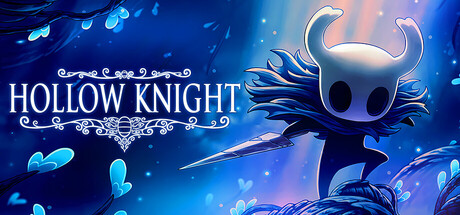
Forge your own path in Hollow Knight! An epic action adventure through a vast ruined kingdom of insects and heroes. Explore twisting caverns, battle tainted creatures and befriend bizarre bugs, all in a classic, hand-drawn 2D style.


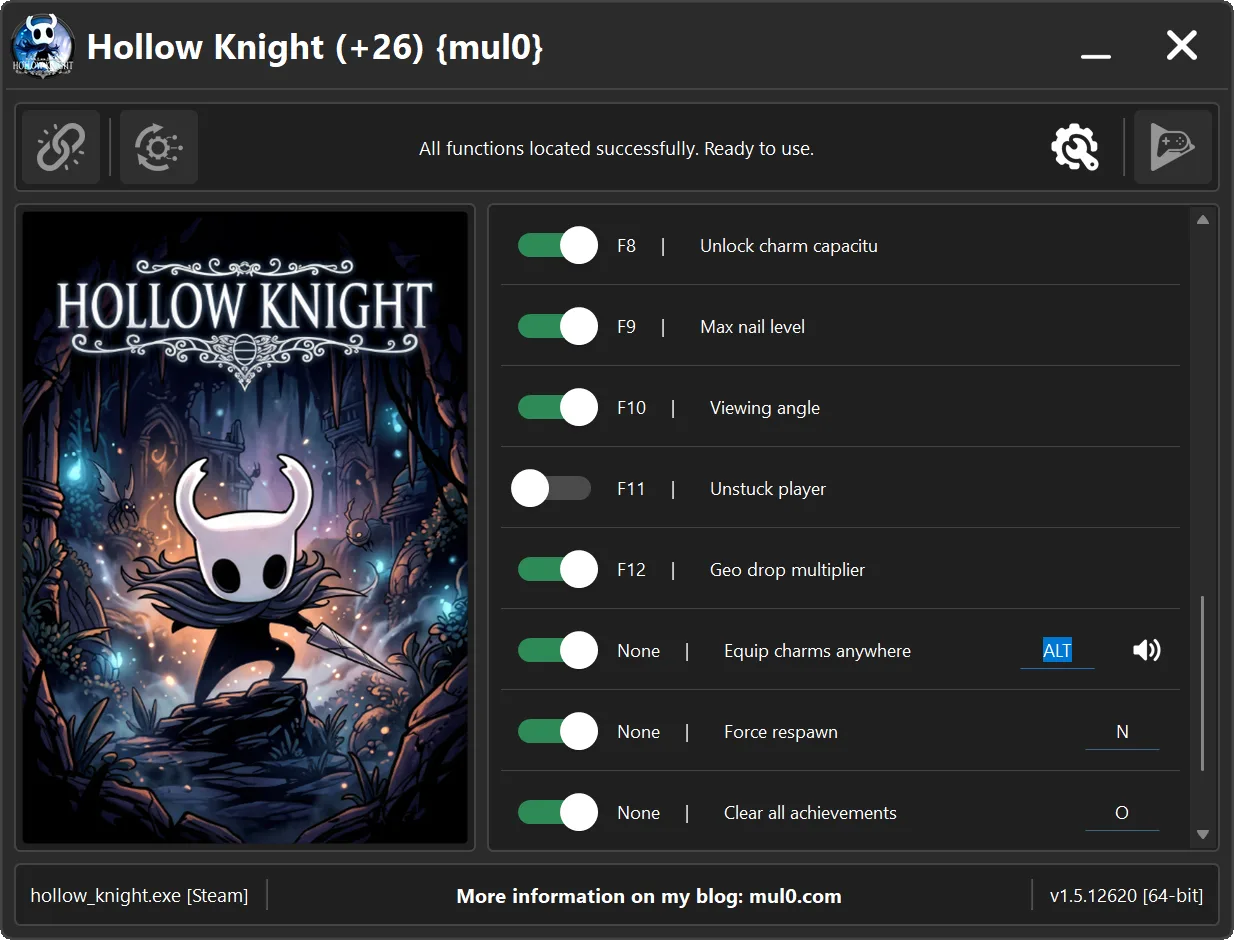
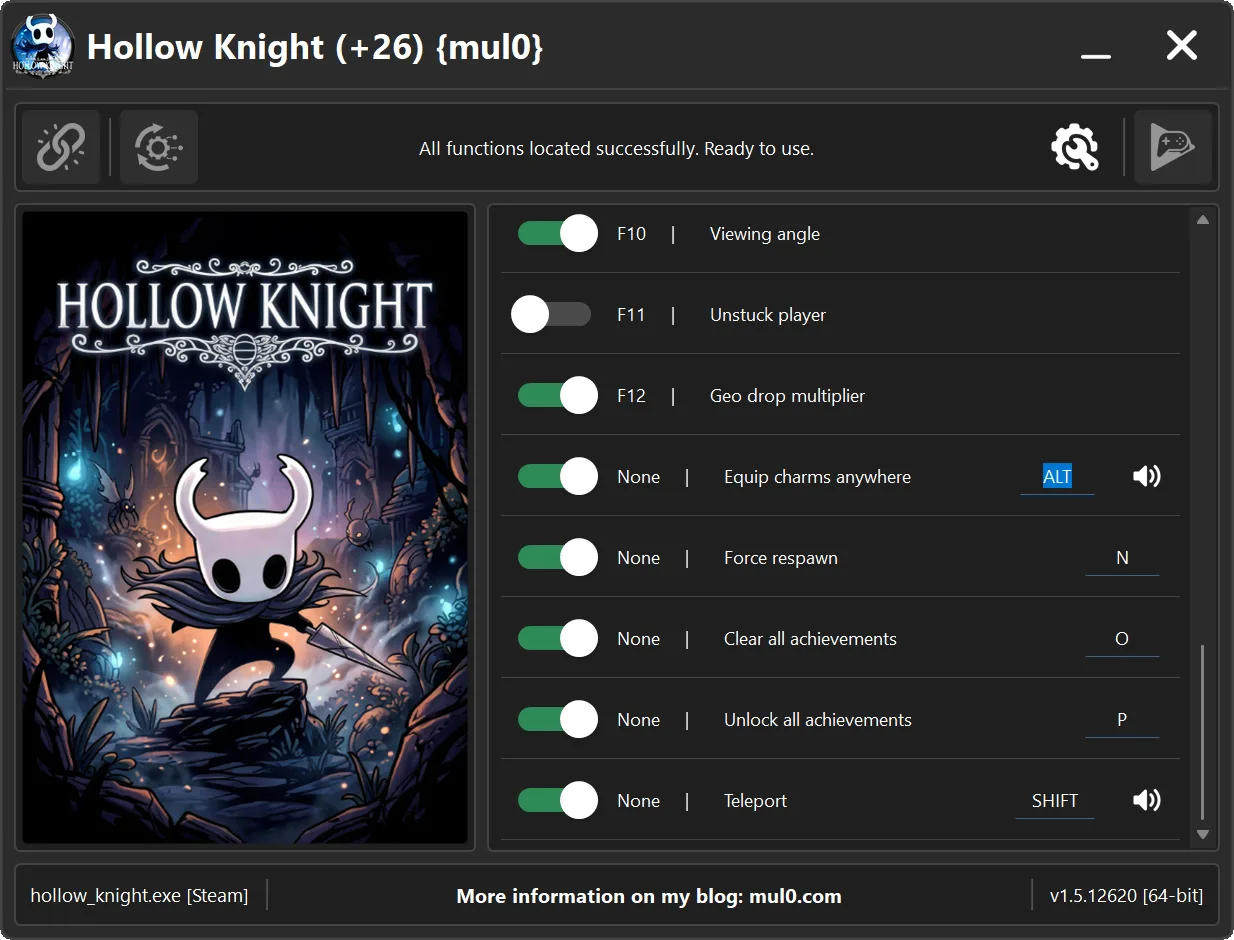
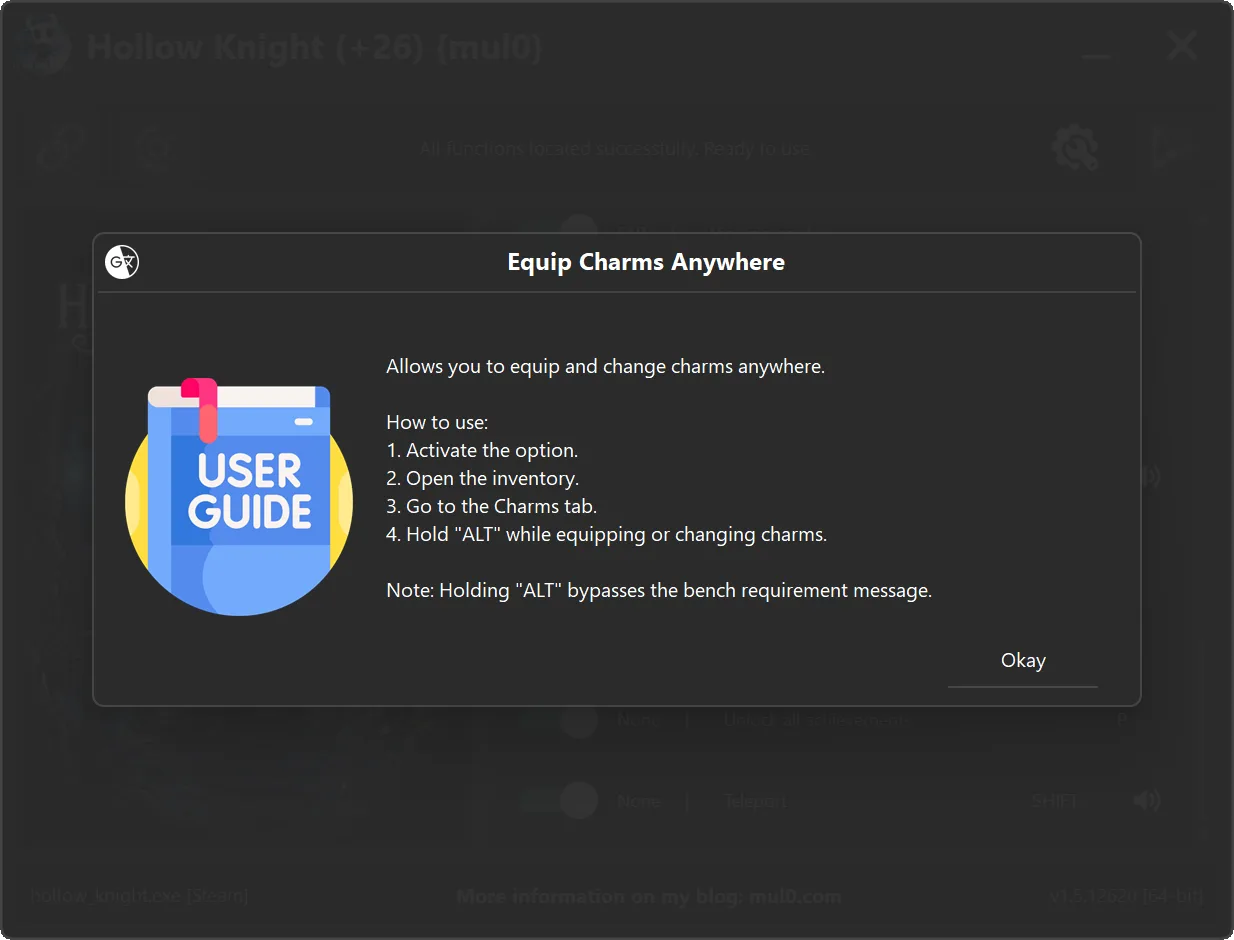
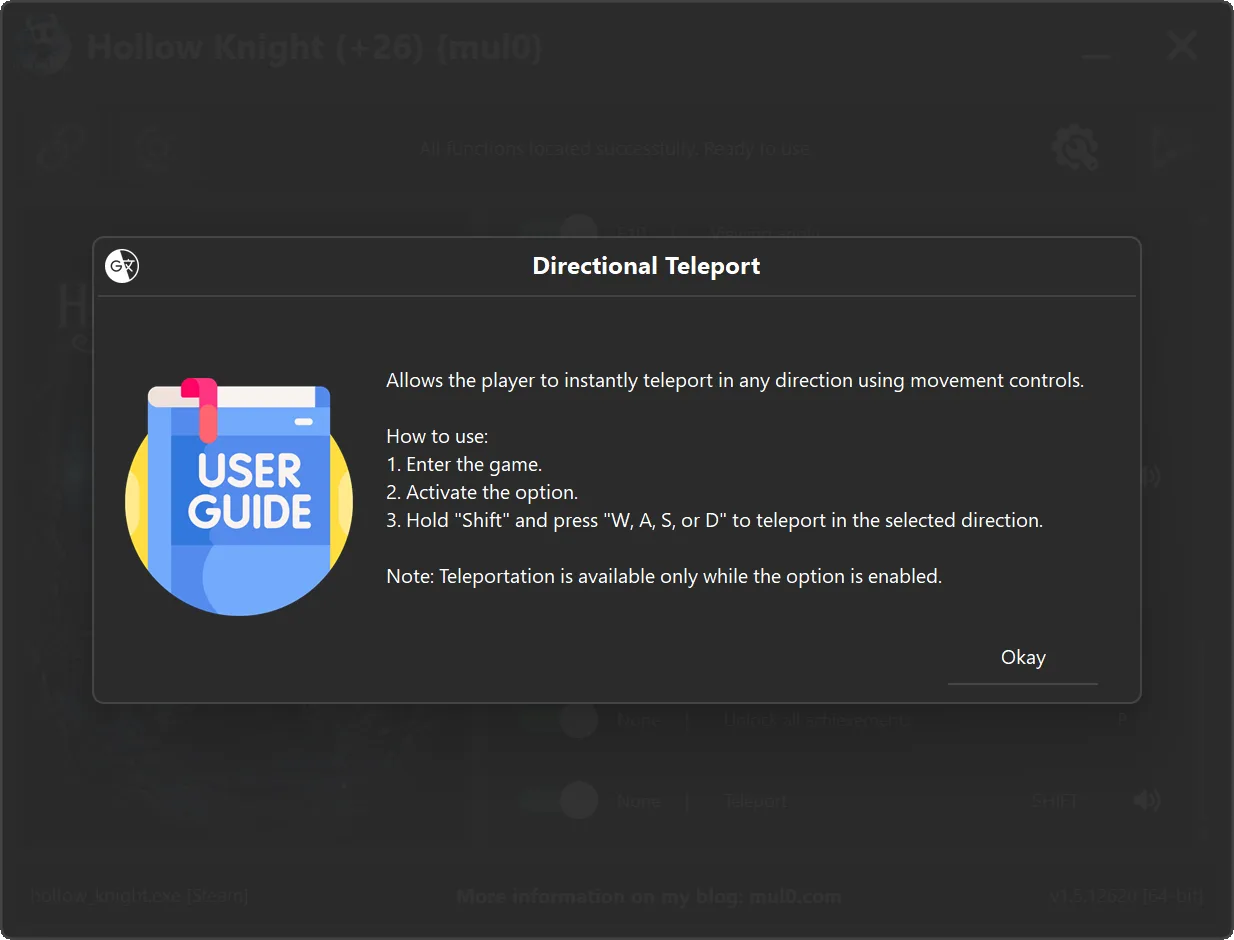
Special movement controls and safety notes
- Equip Charms Anywhere: Enable the option, open the inventory, go to the Charms tab, and hold Alt to bypass the bench restriction message.
- Teleport: Hold Shift and press W, A, S, or D for the required direction.
- No Dash Cooldown: If an enemy hits the character during a dash, the player may become stuck in a floating state.
- Unstuck Player: Press F11 to restore movement, but never use it while transitioning between locations.
- Using Unstuck Player during a location transition may move the player outside the map and remove collision.
- Achievement options: Clear All Achievements and Unlock All Achievements change achievement status in both the game profile and Steam.
Instructions
- Copy all files from the archive to the desktop.
- Start the game and wait until it is fully loaded into gameplay (not just the main menu).
- Only after the game has finished loading, run the trainer.
- If the game process is found successfully, the connect button will become available in the trainer.
How to activate the trainer:
- To activate the trainer, click the button with the broken chain icon. It is located in the upper-left panel of the trainer interface.
- After a successful connection, you can activate and use all available features.
- During the game, press the hotkeys shown in the trainer to enable or disable features.
- Possible false alarm of your antivirus on the trainer.
- If your antivirus blocks the trainer, temporarily disable it.
Video presentation of the trainer
Attachments
| File | Date added | Added by | File size | Downloads |
|---|---|---|---|---|
 Hollow Knight (+26) {mul0} [v1.5.12620].zip
|
July 24, 2026 7:59 PM | mul0 | 12 MB | 26 |
|
Hollow Knight (+21) {mul0} [v1.5.12620].zip
|
July 18, 2026 8:54 PM | mul0 | 12 MB | 40 |